The Greenhouse Veranda
Oh no! Rita's turned into a topiary again! Enter the Greenhouse Veranda and help to free her from the Evergrowth to earn rewards 🎁
This Event is available for new players between levels 4 and 6 and is designed to help you learn how Event Gardens work.
How to complete the Event and earn rewards
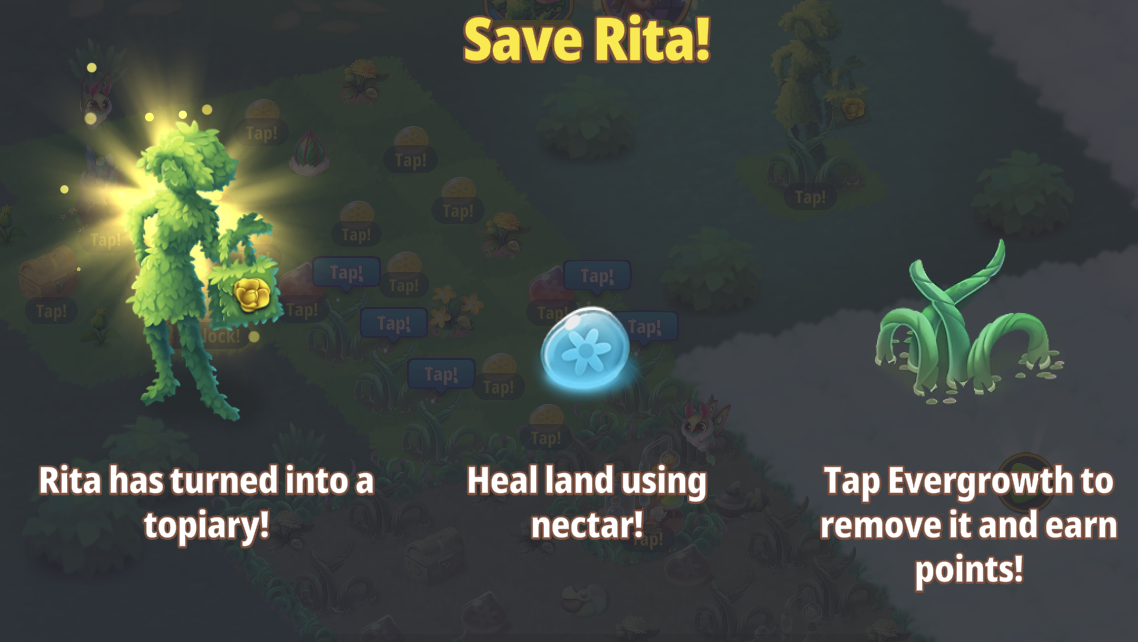
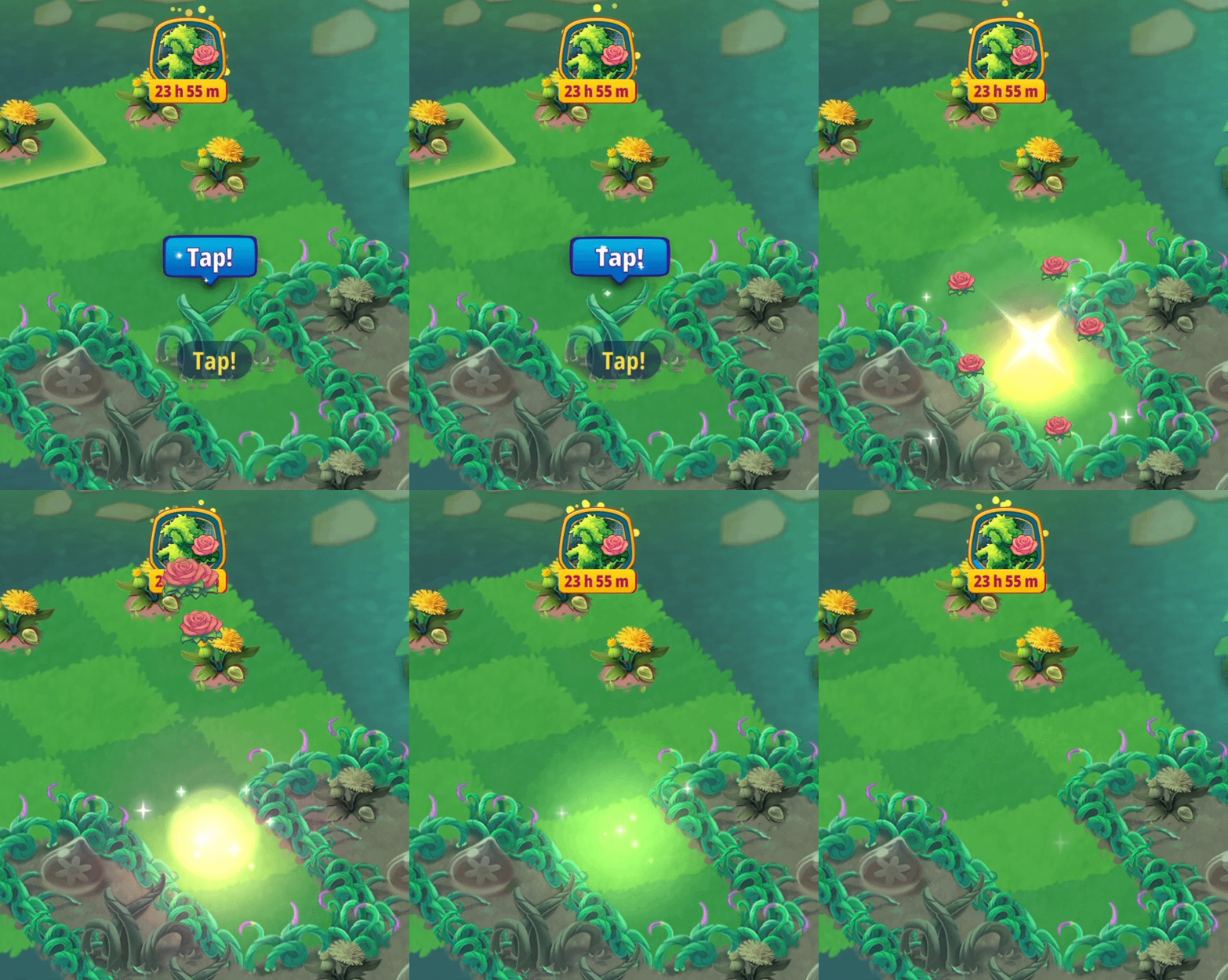
In this Event, you'll need to unlock and heal land to clear the Evergrowth. When you encounter Evergrowth, just tap it to earn Event points!
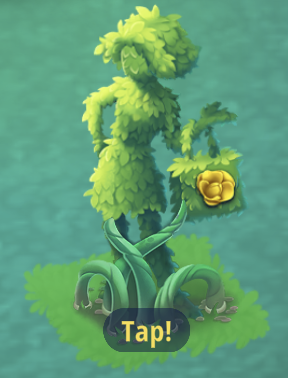
The final Event points can only be earned by tapping Rita's topiary once it has been healed:
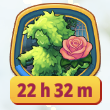
When the bar around the Event icon completes the full circle, you'll receive the next reward. You can also track your progress more closely by tapping the Event Icon. The amount of Event points needed to reach the next reward is shown under the image of Daisy on the left side of this view.
When you receive a reward it will be sent to your Home Garden. Just tap home to go back and see it; it will be bubbled in the middle of your Garden.
You can get to the Event Garden by selecting its icon from your Home Garden at the top of your screen:
You can get back to your Home Garden by tapping the "Home" icon in the bottom right corner of the Event Garden screen:
How to heal gray land & get Nectar
To heal the gray land in this Event, you will need to tap Nectar items which your Wildlife creatures can harvest from Wild Flower items. To harvest, just drag your Wildlife creature on top of a Wild Flower or double tap it.
You can also receive Nectar by tapping Flower Extract Stations and Terrarium Prototypes which require Energy.
The flower power from the Nectar will always heal the unhealed tiles closest to it so place the Nectar as close as possible to the land you wish to heal:
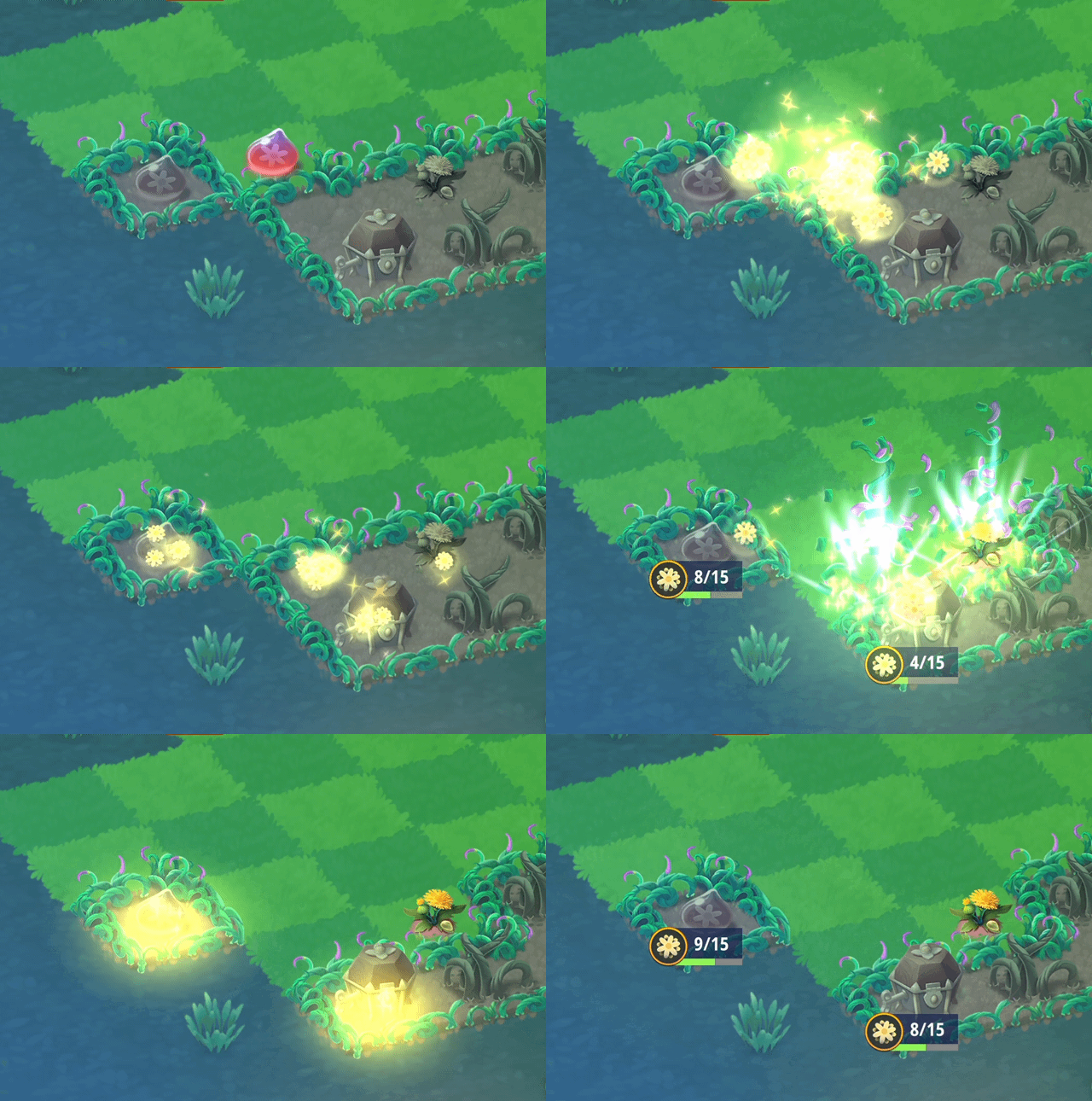
Remember, you can also unlock land by merging with items located on unhealed land:
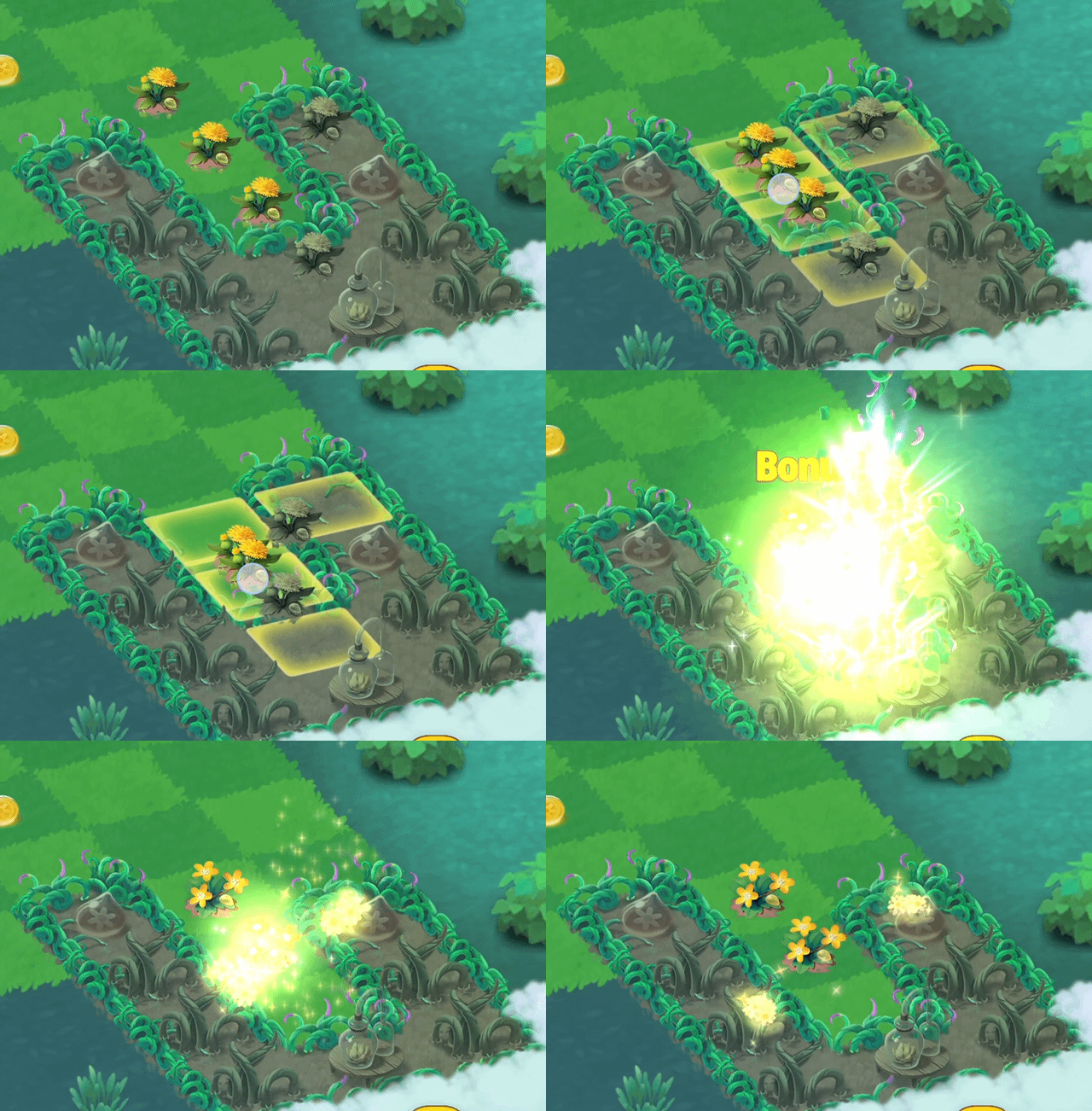
As you progress, the amount of flower power required to heal land increases, so merging can help you save a lot of time.
To see how much flower power is needed to heal a specific piece of land, simply tap on it.
How to unlock land covered by fog
You may notice that some areas in the Event Garden are covered by a white fog. There are two ways to unlock these areas: by providing the required item shown above the locked area or by completing special Puzzle levels.
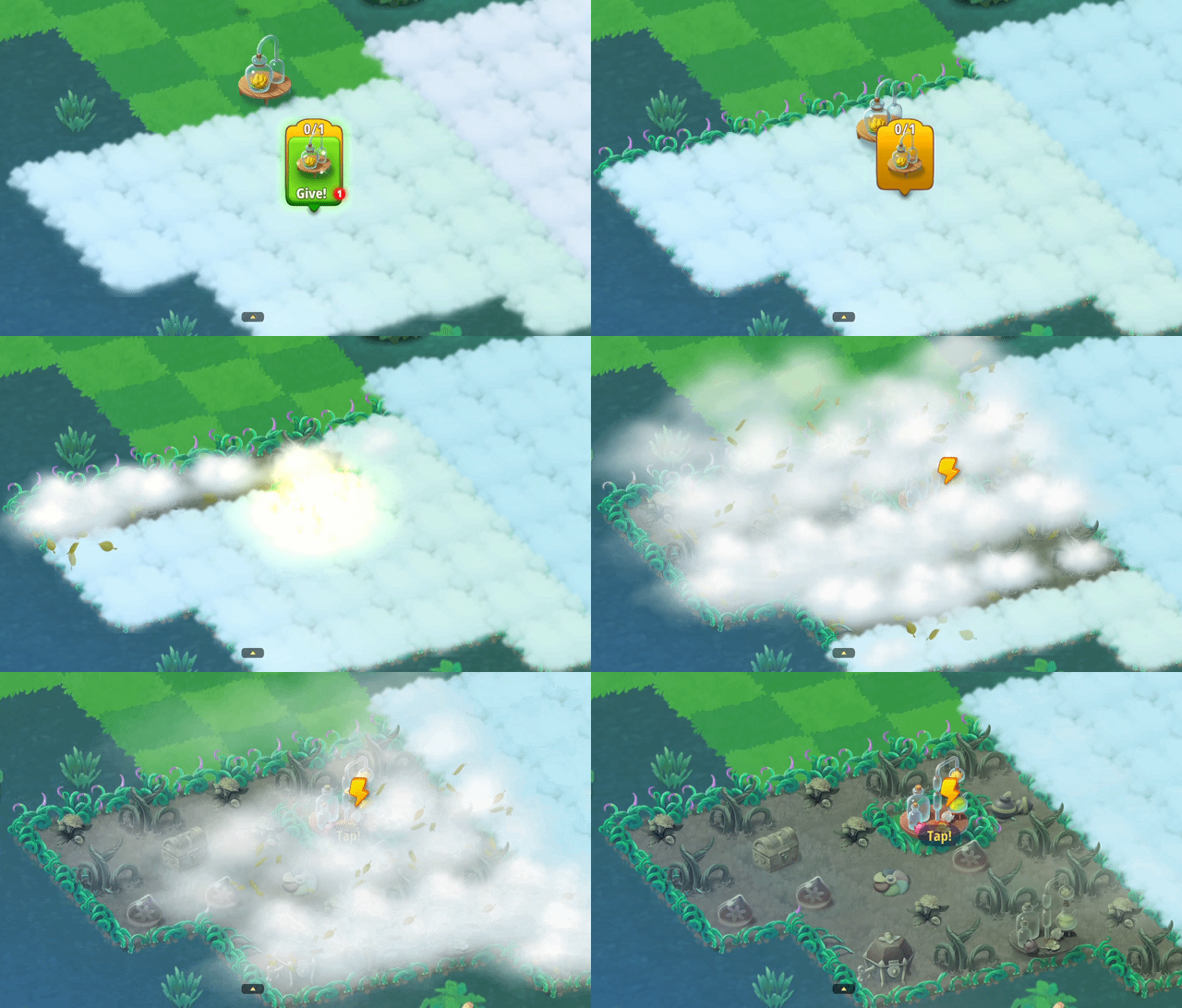
When unlocking the land requires a particular item, you can see the requested item and a counter showing how many are needed of that item on top of the fog:
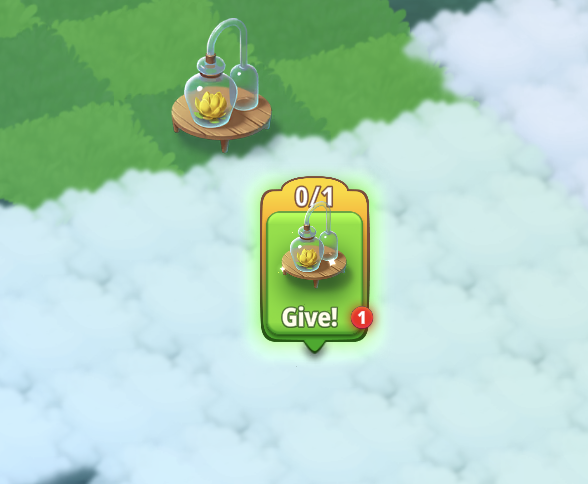
Once you have a required item in your Garden, you can tap the green "Give!" button to contribute that item towards the unlock goals. After all required items have been given, the land will unlock automatically:
Hint: Rosebush items for unlocking land can be found by using your Energy to tap Flower Extract Stations.
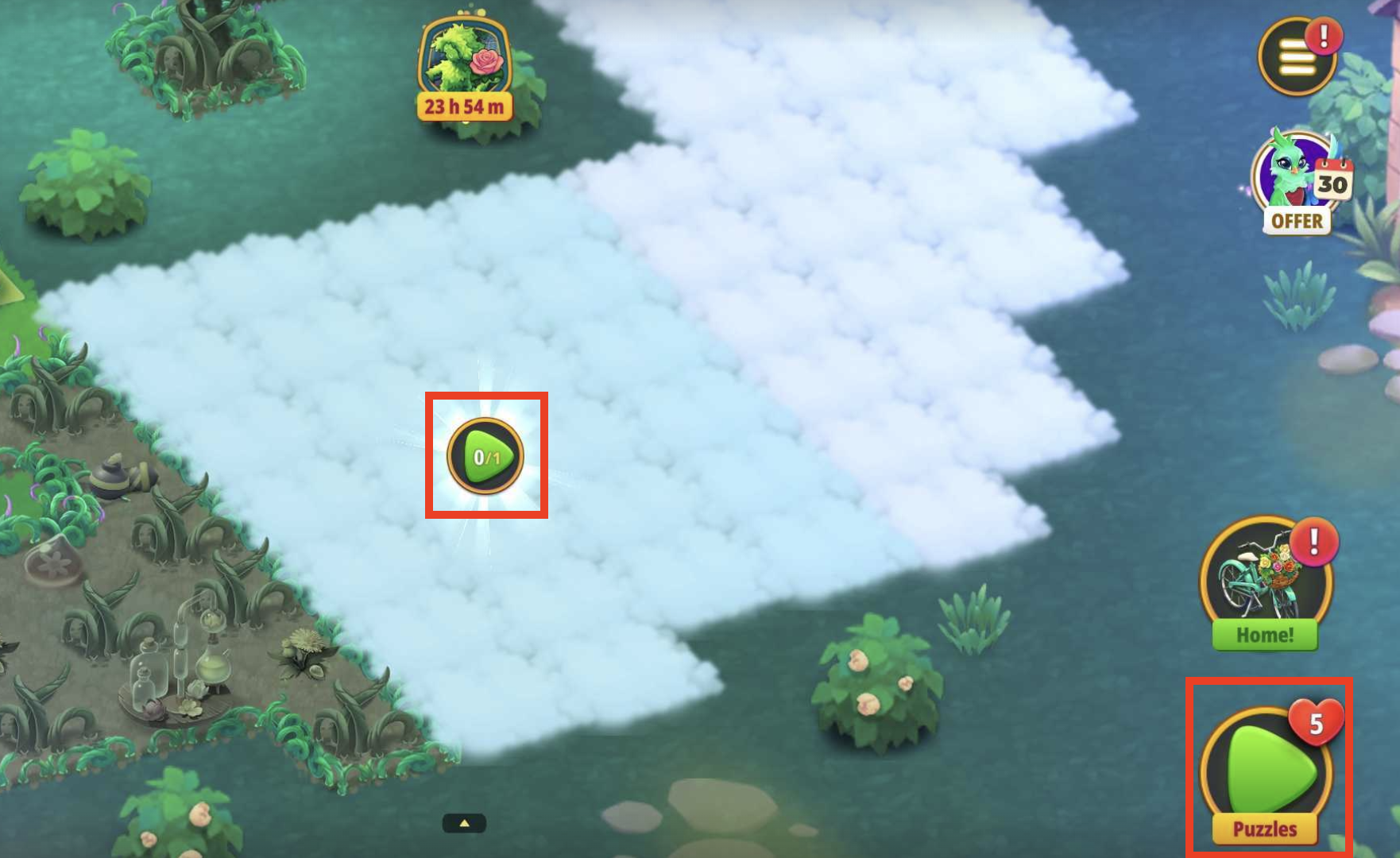
When unlocking the land requires a Puzzle level, simply tap the play button in the bottom right corner of the Event screen or tap the Puzzle play icon over the locked area:
How to use & buy Energy
In order to tap Flower Extract Stations and Terrarium Prototypes, you will need to use Energy. The items that require Energy will have a lightning bolt icon on top of them. After tapping these items several times, they can run out of charges. When you attempt to tap the item again, you will see an Out of charges pop-up.
You can either recharge the item immediately using gems, or wait for it to recharge automatically once the timer in the pop-up counts down. You will also find various Energy items such as Potato Batteries and Small Batteries that can be tapped for extra Energy. These items can be merged up to stage 4 for even more Energy!
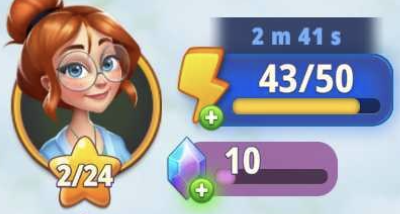
You can also see the amount of Energy you have at the moment in the top left corner of the screen:
If you run out of Energy, a pop-up for the Energy Shop will appear when you try to use Energy or tap on your Energy bar:
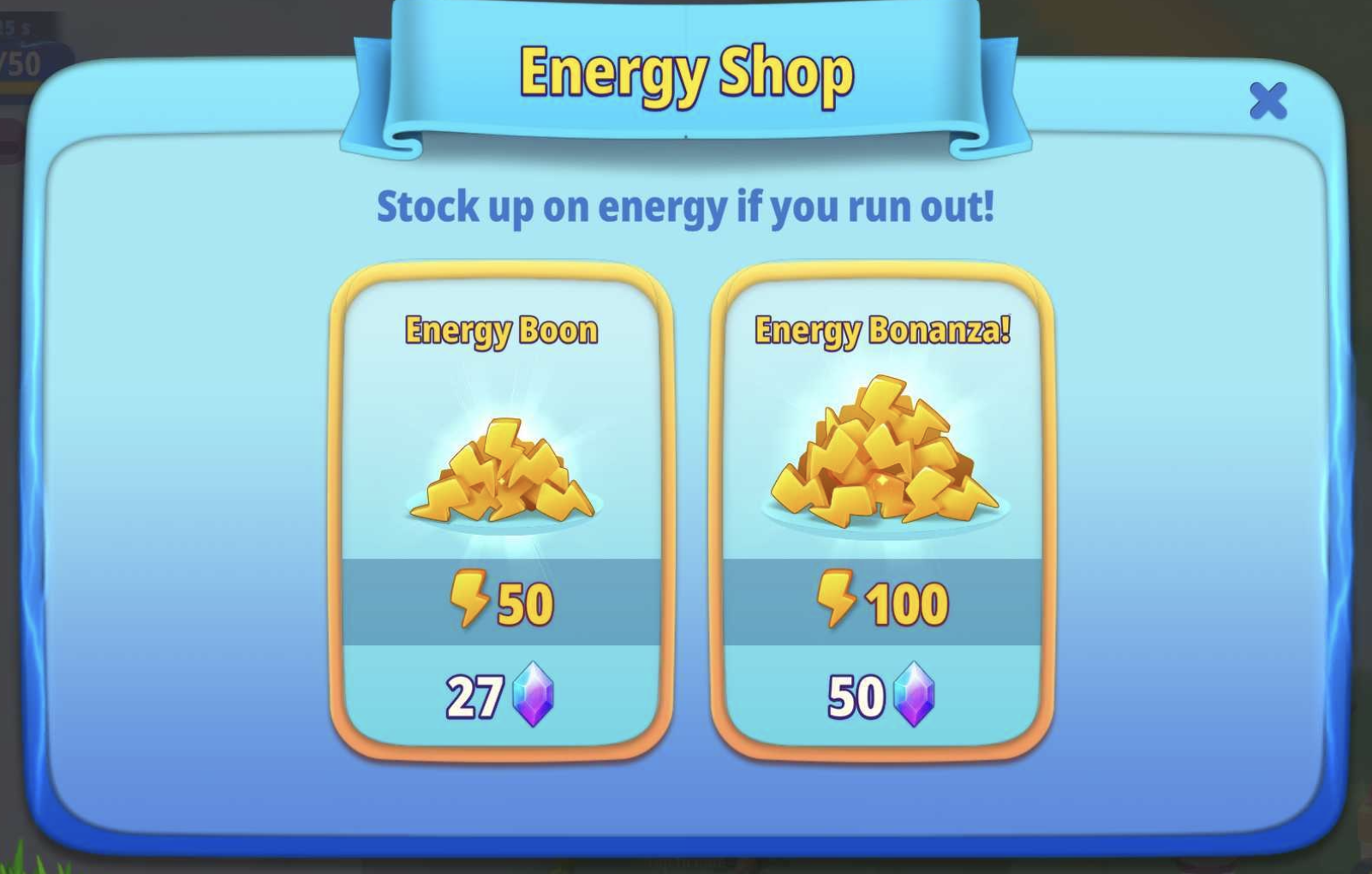
If you'd like, you can refill your Energy immediately using gems or you can wait for your Energy to refill. You will see a timer over your Energy bar showing when you will receive your next unit of Energy.
---
Other points to note:
- The Event specific items, for example the Flower Extract Stations, are not available in the Home Garden.
- If you're looking for extra rewards, check out the Event Ticket or Garden Quest tasks on the left hand side of the screen. Although Garden Quests are not required to complete the main Event task, they can guide you in reaching your Event point goals, and you may receive items for completing them that will help you out in your Event Garden. You'll receive bonus rewards in your Home Garden for completing all Garden Quests!
Need more help?
You can find information about our social media sites and helpful communities here!
If you’re stuck or think something has gone wrong during the Event, please contact Player Support. You can reach us in-game by going to Menu > Settings > Support > Contact Us or by selecting the "Contact us" option at the top of this page.