Cinema Under the Stars
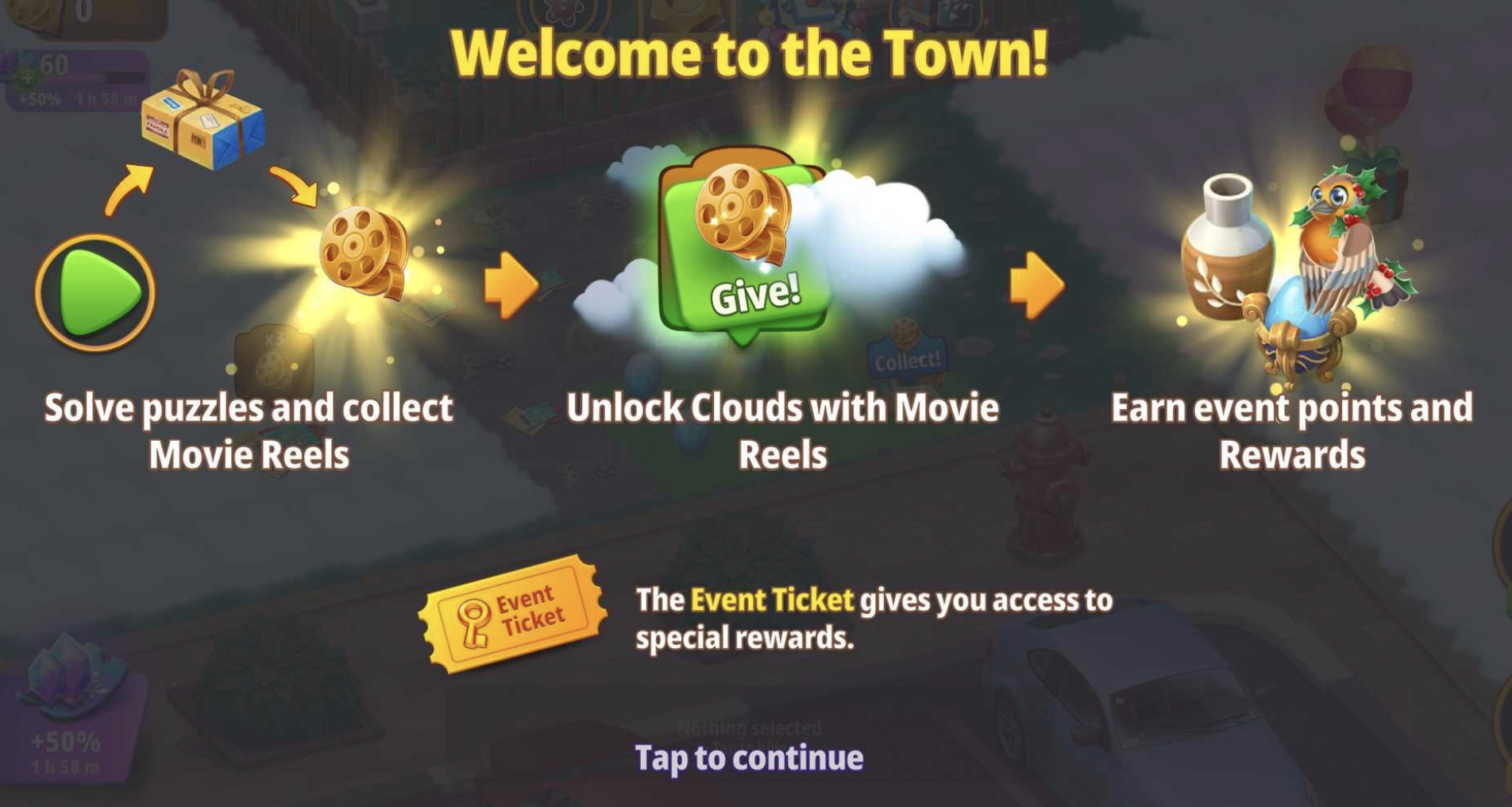
It's showtime! 🎥 Grab some popcorn and join Daisy and friends for a movie night in Cedar Hollow!
Main Goal
Merge Lost & Found items such as Lost Keys to gain points and earn rewards! You can find more of these items by playing Puzzle levels and clearing the land.
When you receive a reward it will be sent to your Home Garden! Just tap home to go back and see it - it will be bubbled in the middle of your Garden.
You can get to the Event Garden by selecting its icon from your Home Garden:
And you can get back to your Home Garden by tapping the "Home" icon in the bottom right corner of the Event Garden screen:
Movie Reels and Unlocking New Areas
There are two ways to unlock new areas in this Event - with Movie Reels or by providing the requested item that is shown over the locked area. If you need to use Movie Reels, you will see an Outdoor Cinema Essentials item showing the number of Movie Reels required over it, and if you need to use another item, you will see the item and the required number of that item over the land instead.
To open land with Movie Reels, you will first need to earn them as rewards from playing Puzzle levels and then collect them. To play a Puzzle level, just tap the Play button in the bottom-right corner of the game screen:
Remember, standard Puzzles accessed from the Home Garden won't count towards the Event progress!
Upon completing a Puzzle level, you will receive a Post Delivery Service item such as a Postal Letter. To receive the Movie Reels, you will first need to tap this item:
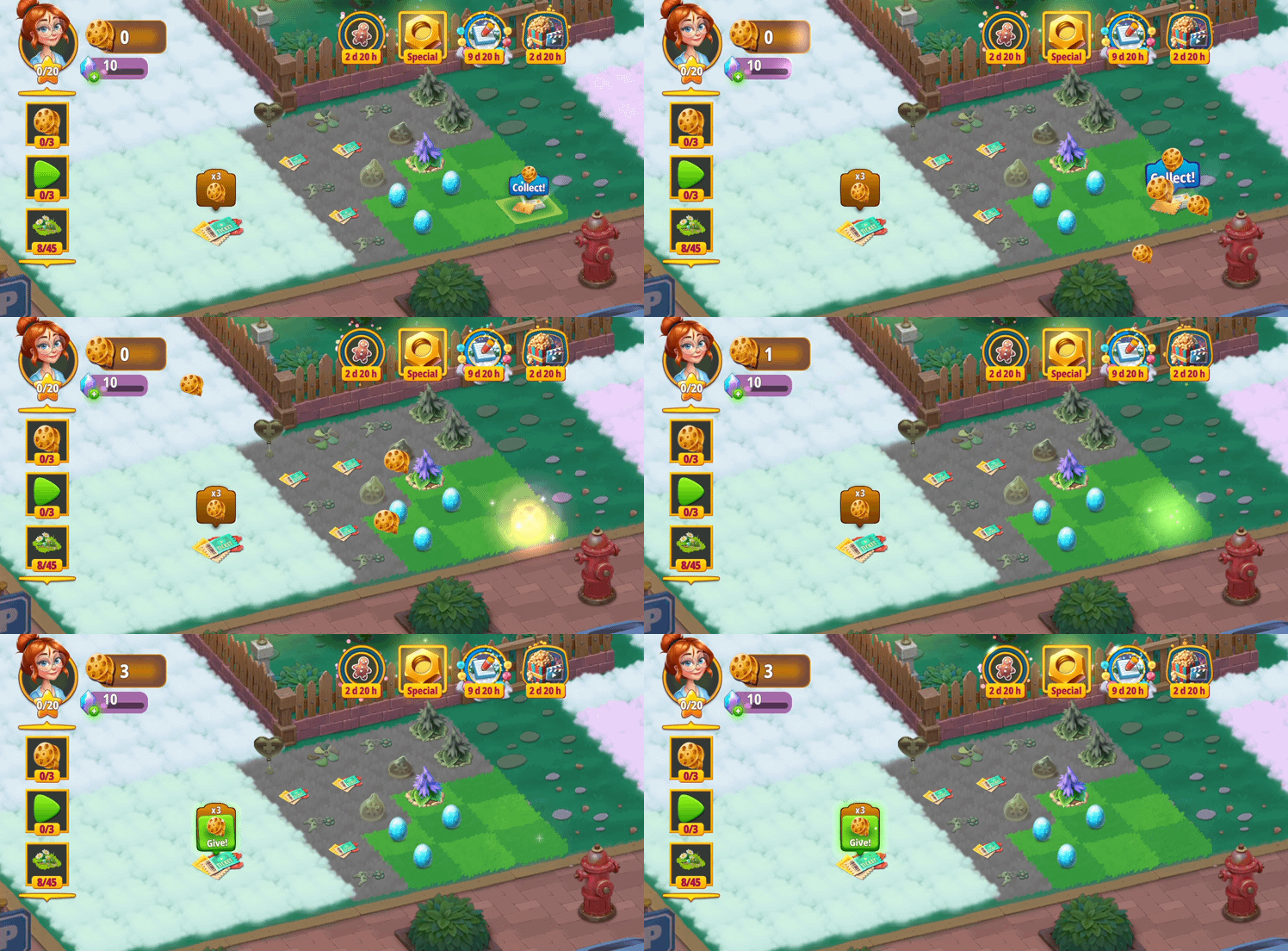
As seen above, once you tap the Post Delivery Service item, the Movie Reels will be added to your total in the top-left corner of the screen.
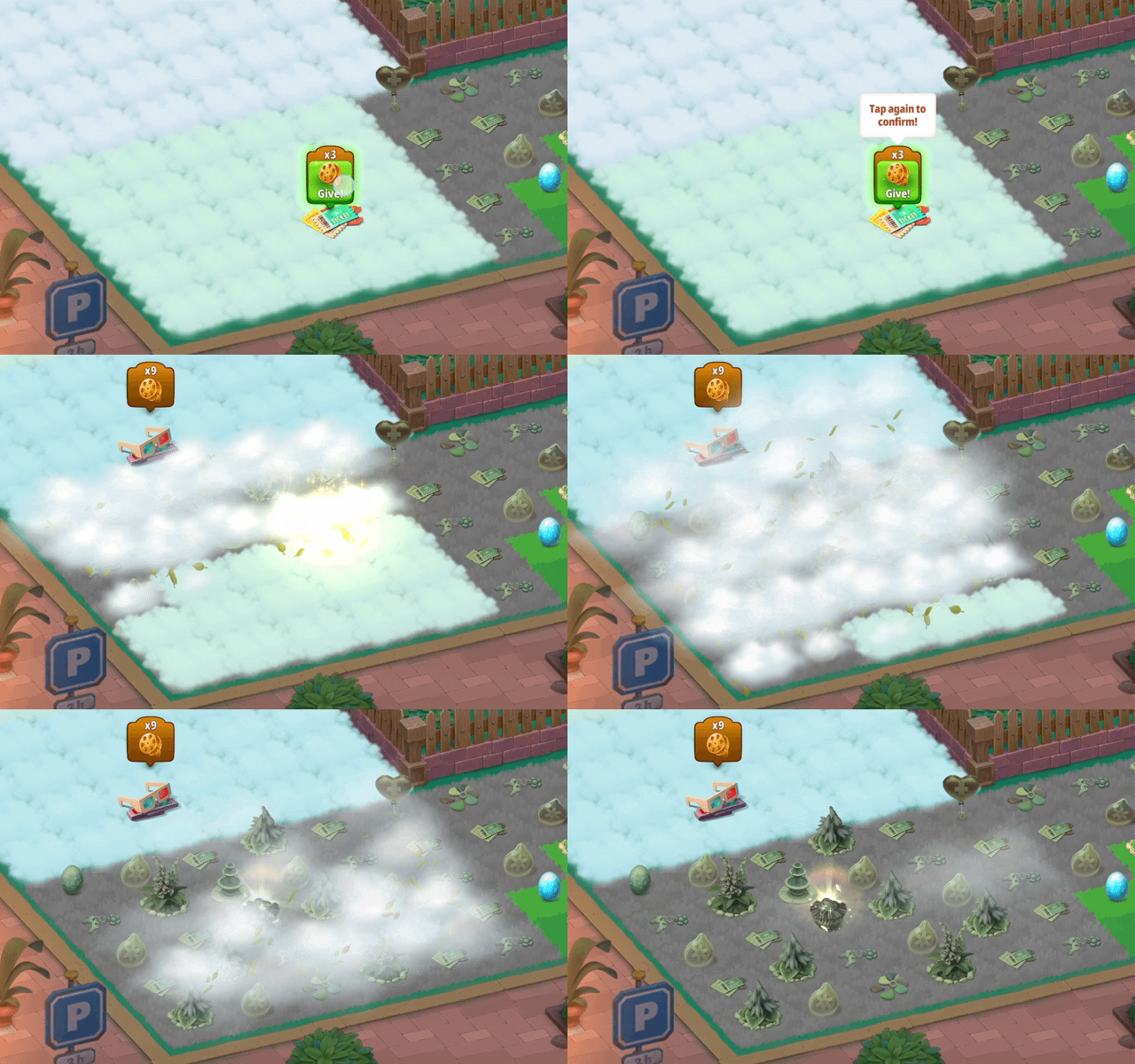
You can see the total number of Movie Reels required to open each area above the Outdoor Cinema Essentials item that is covering that area. If you have enough Movie Reels to unlock that area, you will see a green button that you can tap to unlock it:
Alternatively, when a locked area requires an item to unlock it, you will see an icon over the area showing an image of the item that's required as well as how many of that item is needed. If you already have the item, there will be a green button that you can tap that will give that item:
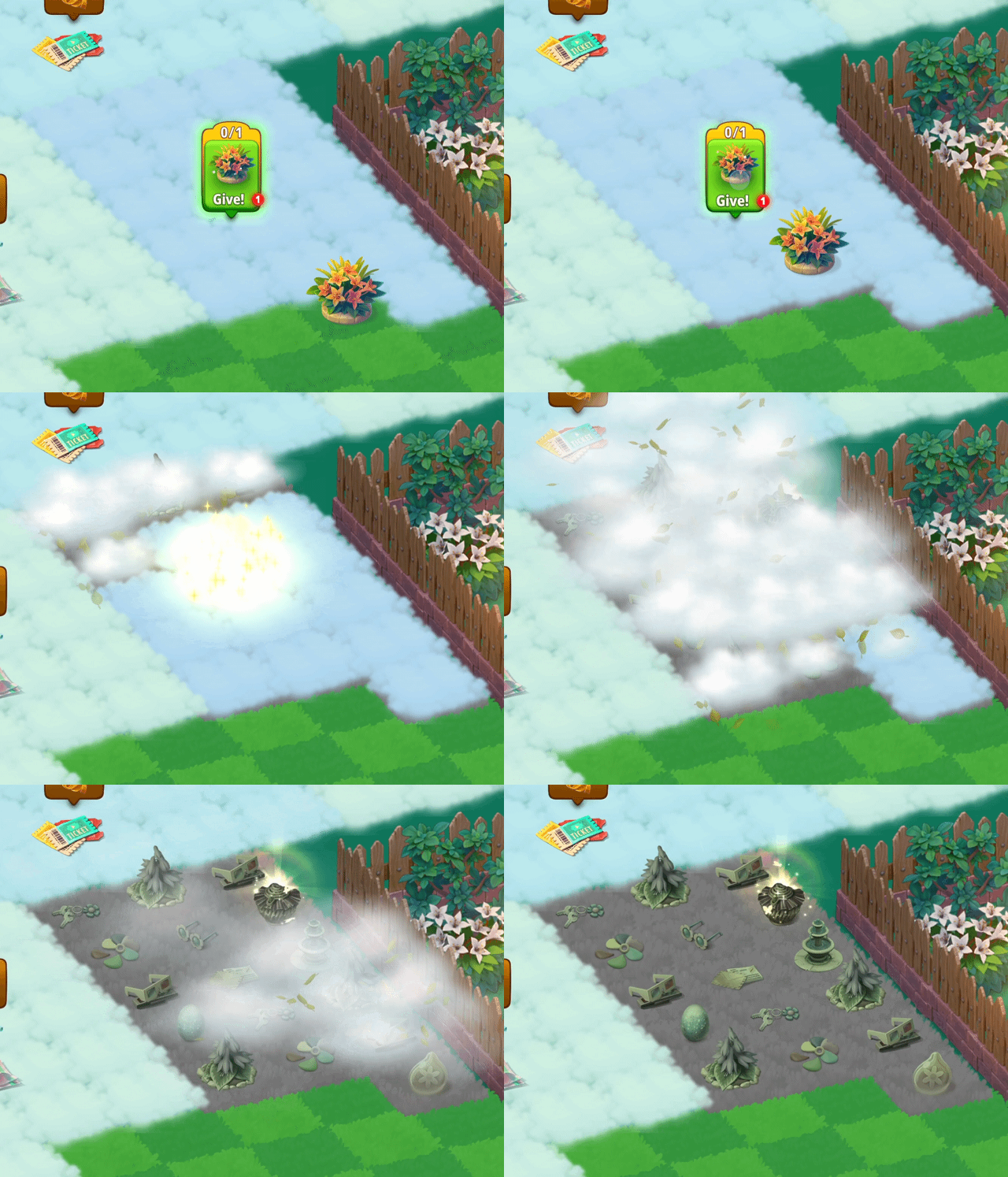
You won't be able to see all the item locked areas from the start of the Event so try keeping and merging all the items you discover and receive during the Event.
Lost & Found items and Event points
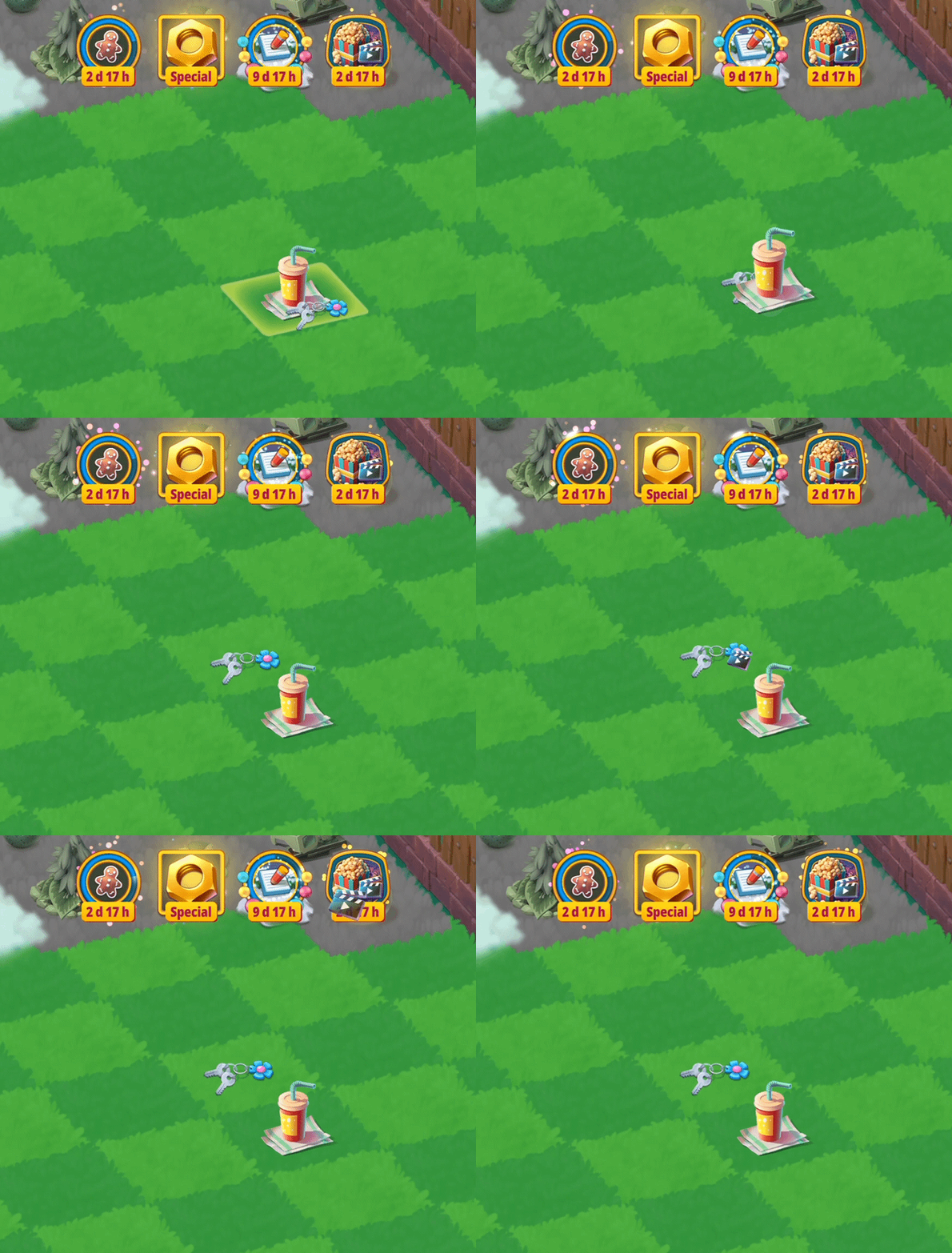
To gain Event points and earn rewards, merge Lost & Found items! These items can be found hidden through the land as well as from your Puzzle level rewards.
Remember, merge your items in groups of 5 for an added bonus!
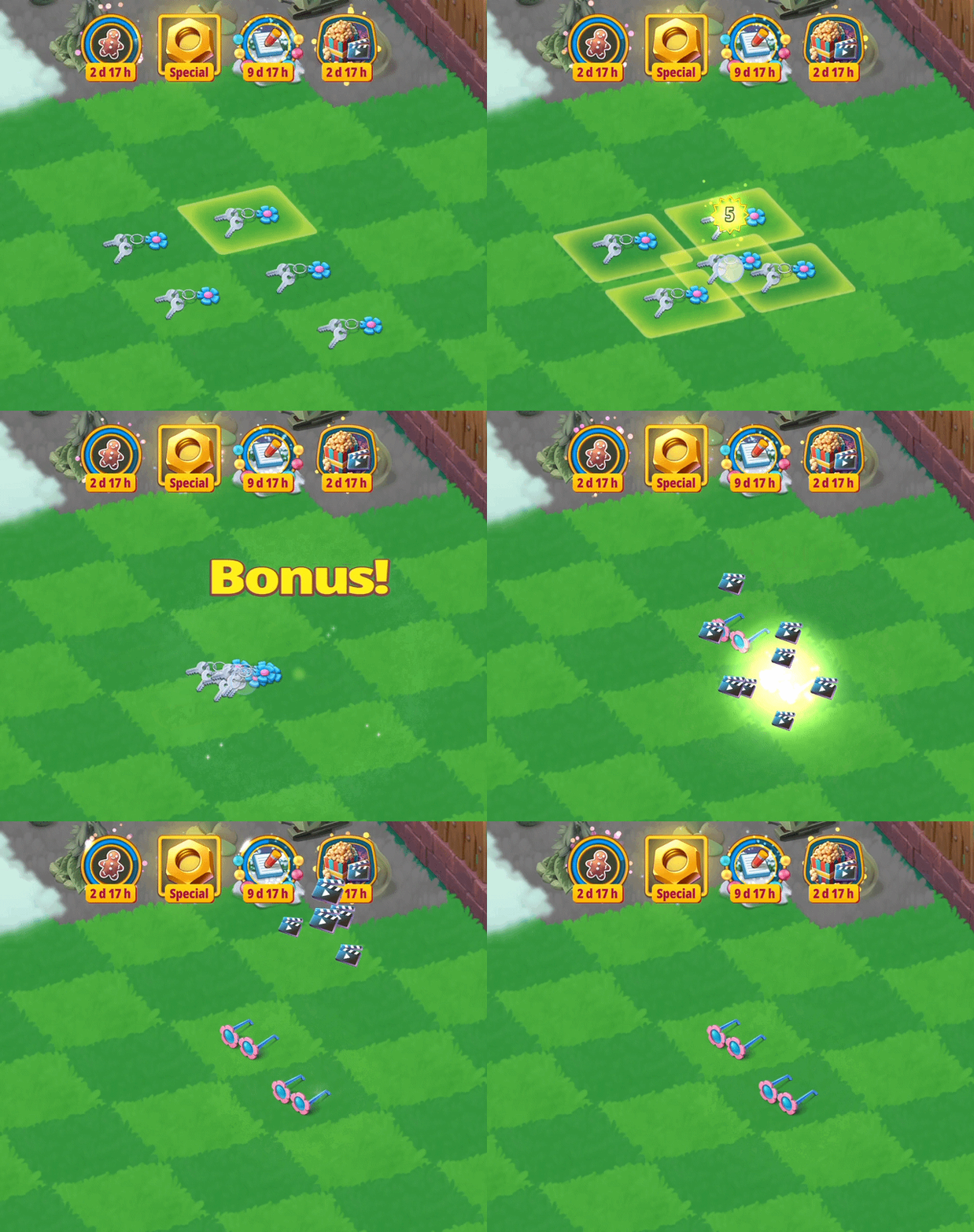
Some of the Outdoor Cinema Essentials items are also able to be tapped occasionally for additional Lost & Found items. The higher the stage of the Outdoor Cinema Essentials item, the higher the stage of the Lost & Found item that you will receive.
Other points to note:
- Wildlife Helpers that you have in this Event will not come over to your Home Garden. However, the creatures that you are rewarded with will be added to the Home Garden.
- If you gain boosters or gems in this Event, they will be added to your Home Garden totals.
- The Event specific items - for example the Outdoor Cinema Essentials - are not available in the Home Garden.
- If you're looking for Extra Rewards, check out the Event Ticket or Garden Quest tasks! These are not required to complete the main Event task. Garden Quests can help you out reaching your Event point goals, but completing all of them can be very challenging or may require acquiring additional items in the Event Garden's shop.
- Check out the in-game offers during the Event! These will give you a boost! Please note though that some items included in the offer may appear in your Home Garden instead of the Event Garden - pay attention to the offer pop-up, each item's destination is displayed there.
- If you're running out of time and you want to boost your Event progress, you can check out the Shop in the Event's Garden. It includes various items that can be helpful while completing the Event; you can purchase them in exchange for gems.
Need more help?
You can find information about our social media sites and helpful communities here!
If you’re stuck or think something has gone wrong during the Event, please contact Player Support. You can reach us in-game by going to Menu > Settings > Support > Contact Us or by selecting the "Contact us" option at the top of this page.