Accidental merges and sales!
We know that it can feel really disappointing when you accidentally sell something or merge three instead of five items.
With that in mind there are a couple of tips that can help!
When selling items in your garden, make sure you have the item information showing so that you can be sure of what you have selected. If you can’t see this information, then tap on the little upwards facing arrow at the bottom of the Home Garden screen.

Switch on the Merge Counter in the settings. This won’t sound an alarm if you’re about to merge three or four or six, but you will be able to see for sure how many you’re merging.
If you have some valuable items in your garden and you're worried about accidentally merging them before they are ready to be merged, you can try arranging them in a way where the valuable items are separated from each other with garden items of lesser value. If the items are not directly adjacent to each other, they can't be merged!
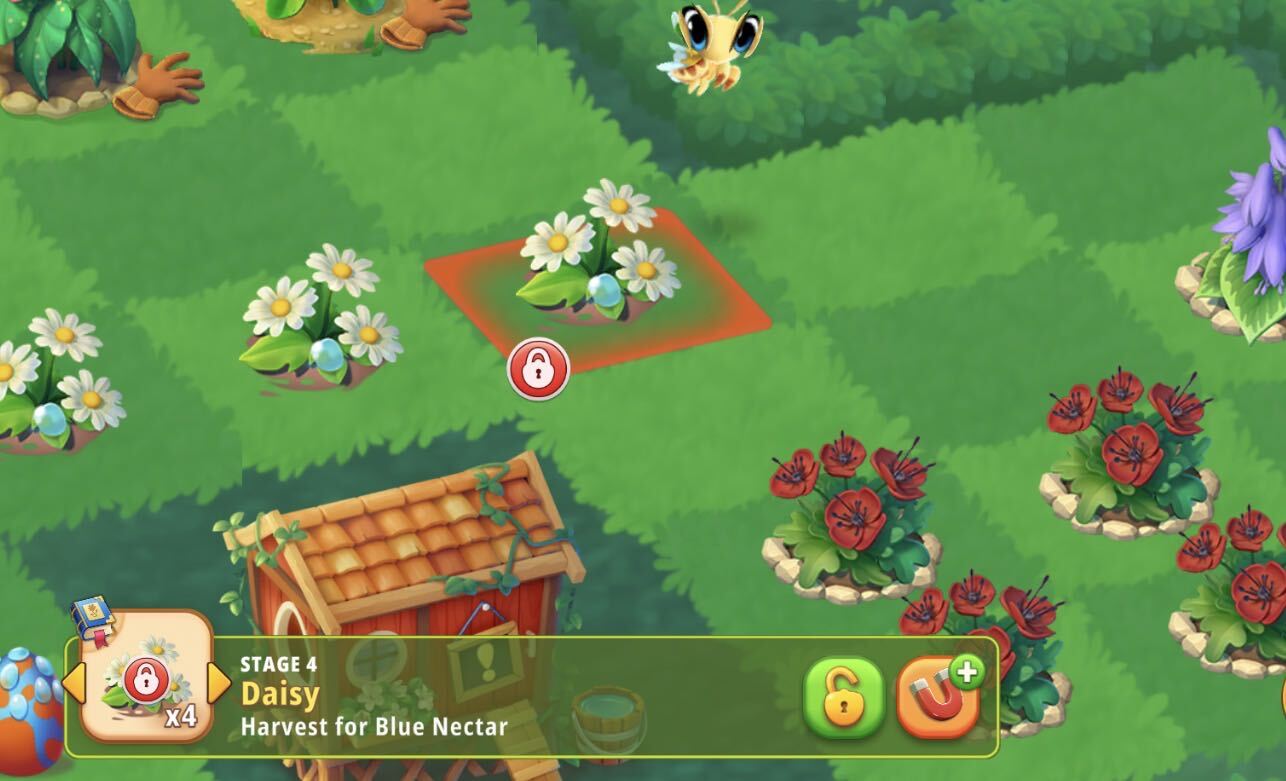
Lock Valuable Items: Tap the red padlock icon on the item’s information bar to lock it. Once locked, a red padlock icon will appear over the item on your garden tile, keeping it safe from being moved, sold, or merged until you tap to unlock it again.
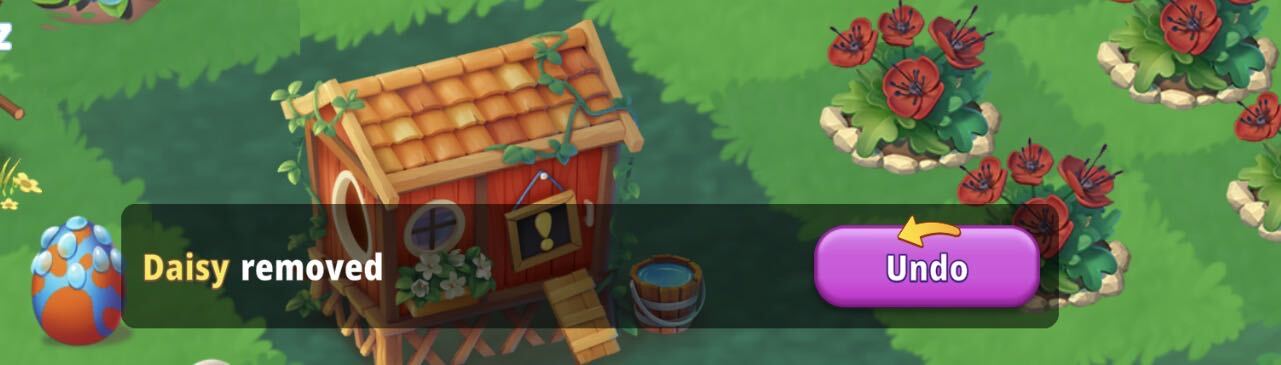
Use the Undo Button: If you accidentally sell or delete an item, act fast! A notification banner reading "Item removed" will temporarily pop up at the bottom of the screen. Tap the purple Undo button on this banner immediately to restore your item back to the garden.
If you have accidentally deleted something our support team will occasionally make a one-time exception to restore a deleted item but regret that they are not able to assist with accidental merges.
If you need further assistance, don't hesitate to reach out to our Support Team via the in-game interface (Menu > Settings > Support > Contact us) or by clicking the "Contact us" link at the top of the page.